


The most useful thirty seconds in a CRM are the ones right after you hang up. You still remember that Sofia took second in the 50 free and that they want numbers in January. If saving that means opening three screens, it does not happen, and by Friday it is gone.
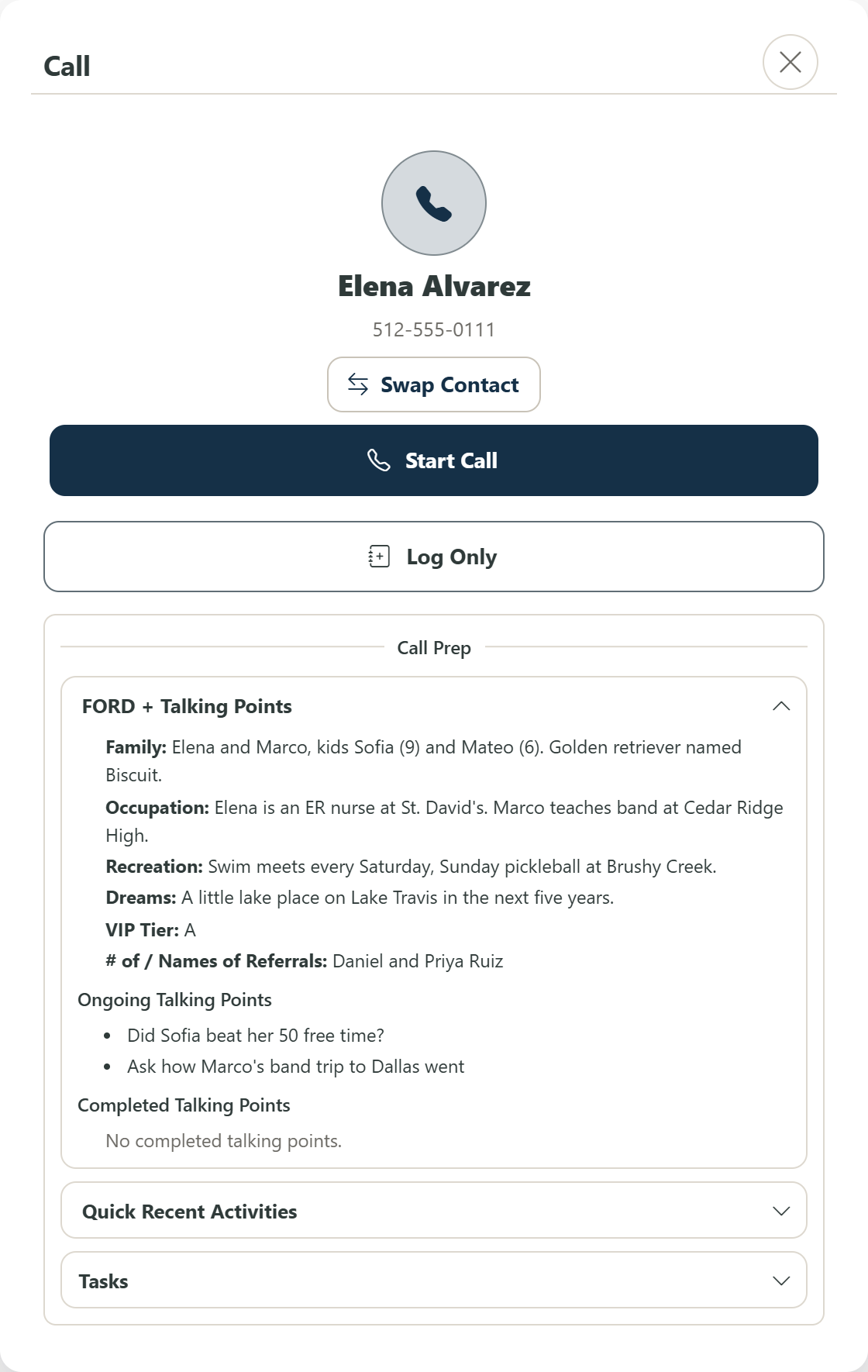
So in ZachCRM a call is a short loop. Tap Call on a household and you get call prep first: their FORD notes, any talking points you queued, recent activity and open tasks. Start the call from there, or pick Log Only if you already talked.
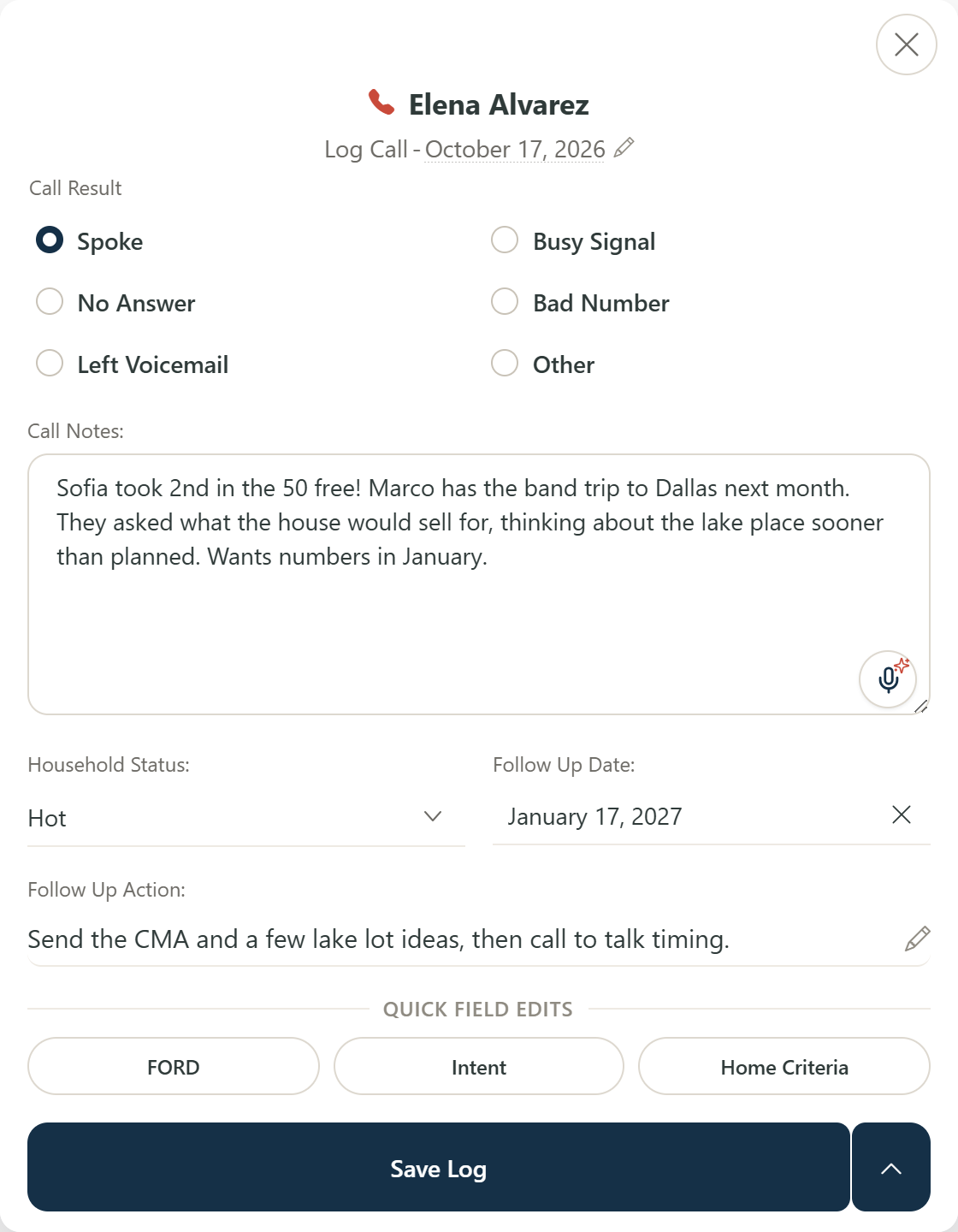
When you hang up, the debrief is waiting. Pick how it went (Spoke, No Answer, Left Voicemail, Busy Signal, Bad Number), type or dictate a few notes, and set the household status, the next follow-up date and what you will do then, all in the same window. If you heard something that belongs in their FORD notes, intent or home criteria, the quick edit buttons at the bottom open those without leaving the debrief.
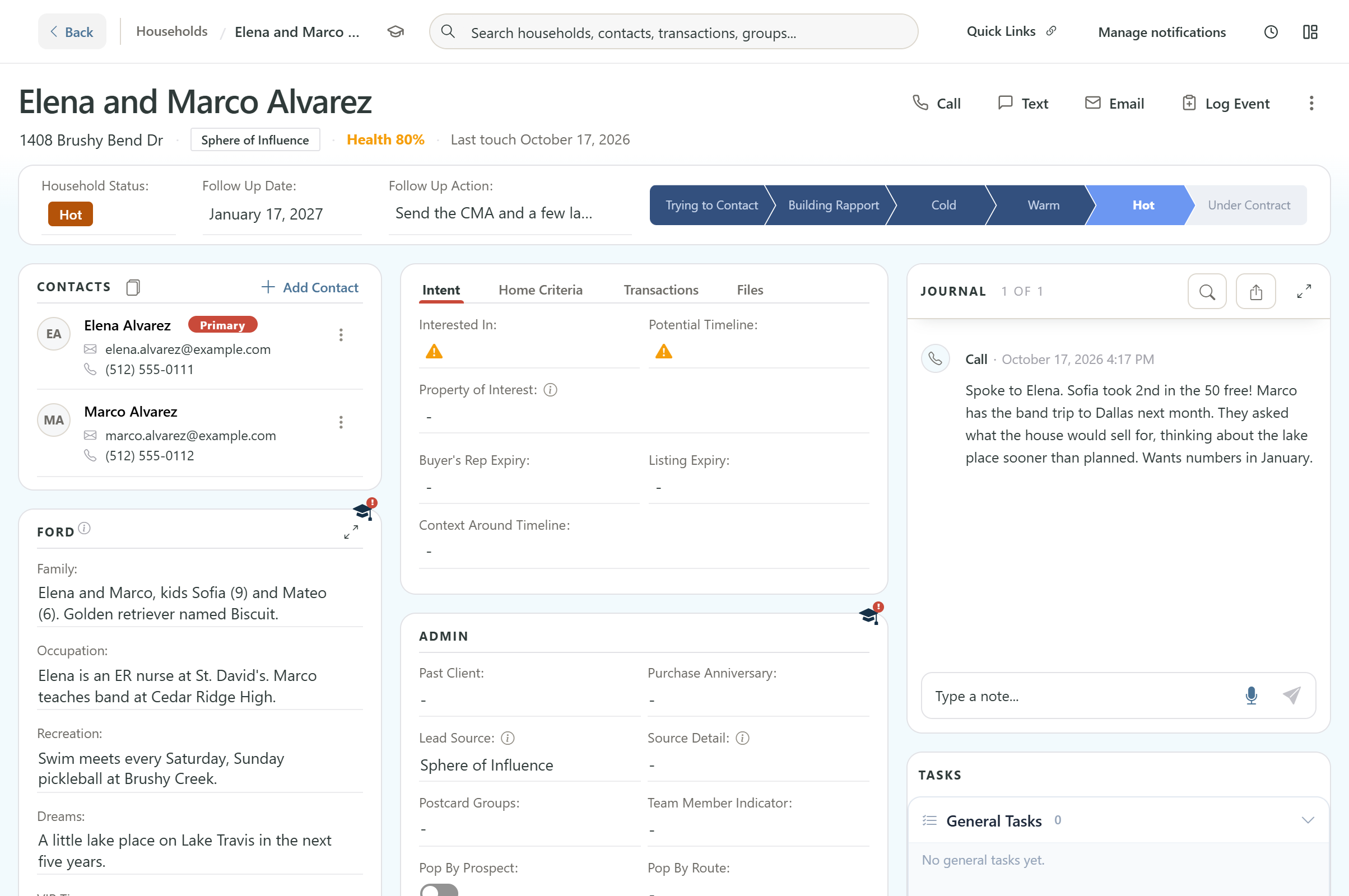
Hit Save Log and you are done. The call lands in the journal with your notes, the status moves, and the household drops off today's list until the date you just picked.
That is the whole idea. Every call ends with a next step, so nobody quietly slips through the cracks because you meant to update it later.