


Most of an agent's day happens away from a desk: between showings, in a parking lot, waiting on an inspector. If the CRM only works well on a laptop, the notes wait until tonight, and tonight they are thinner.
So the phone version of ZachCRM is its own layout, not the desktop squeezed down. A household opens with Call, Text, Email and Event across the top, and everything else sits in tabs you can reach with a thumb: Follow Up, Tasks, FORD, Journal, Admin, Links, Transaction and Files.
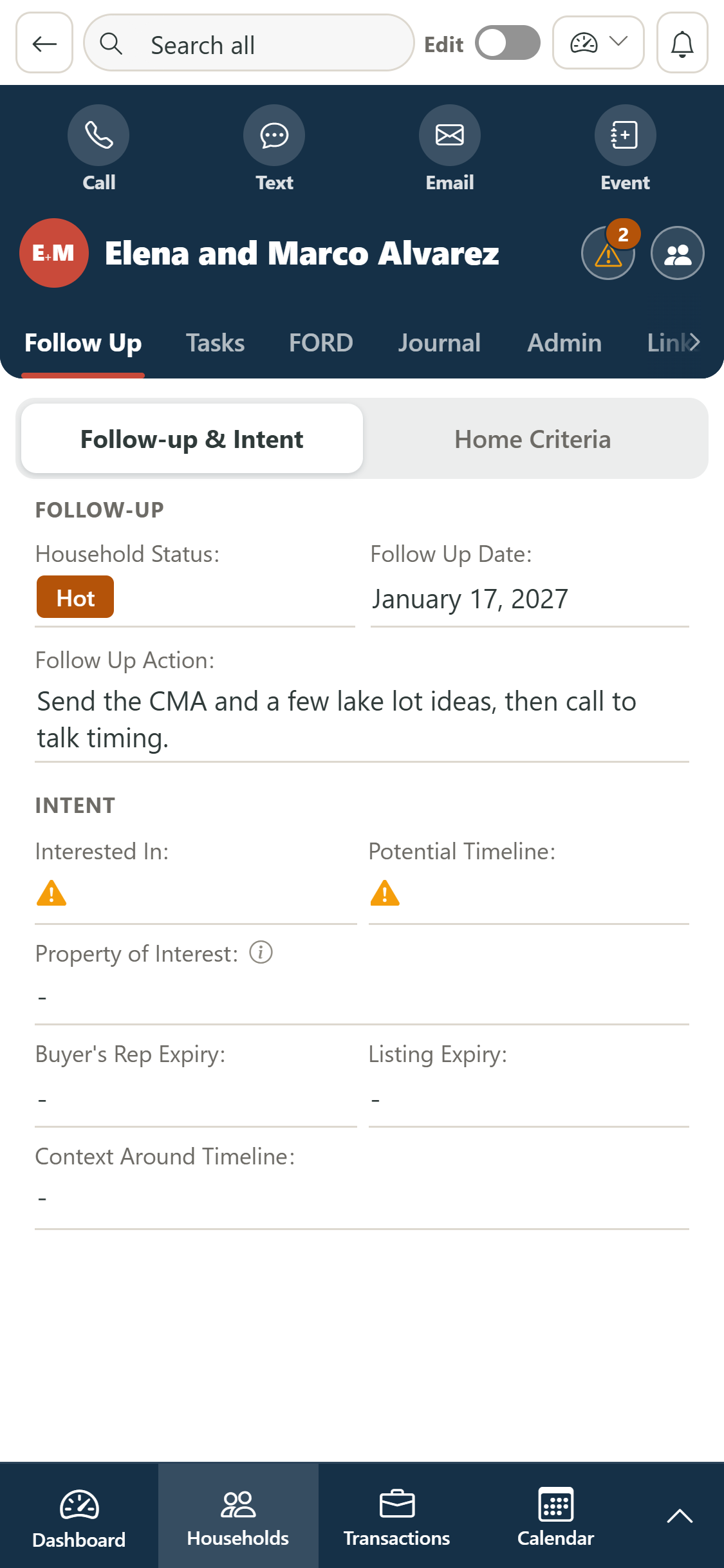
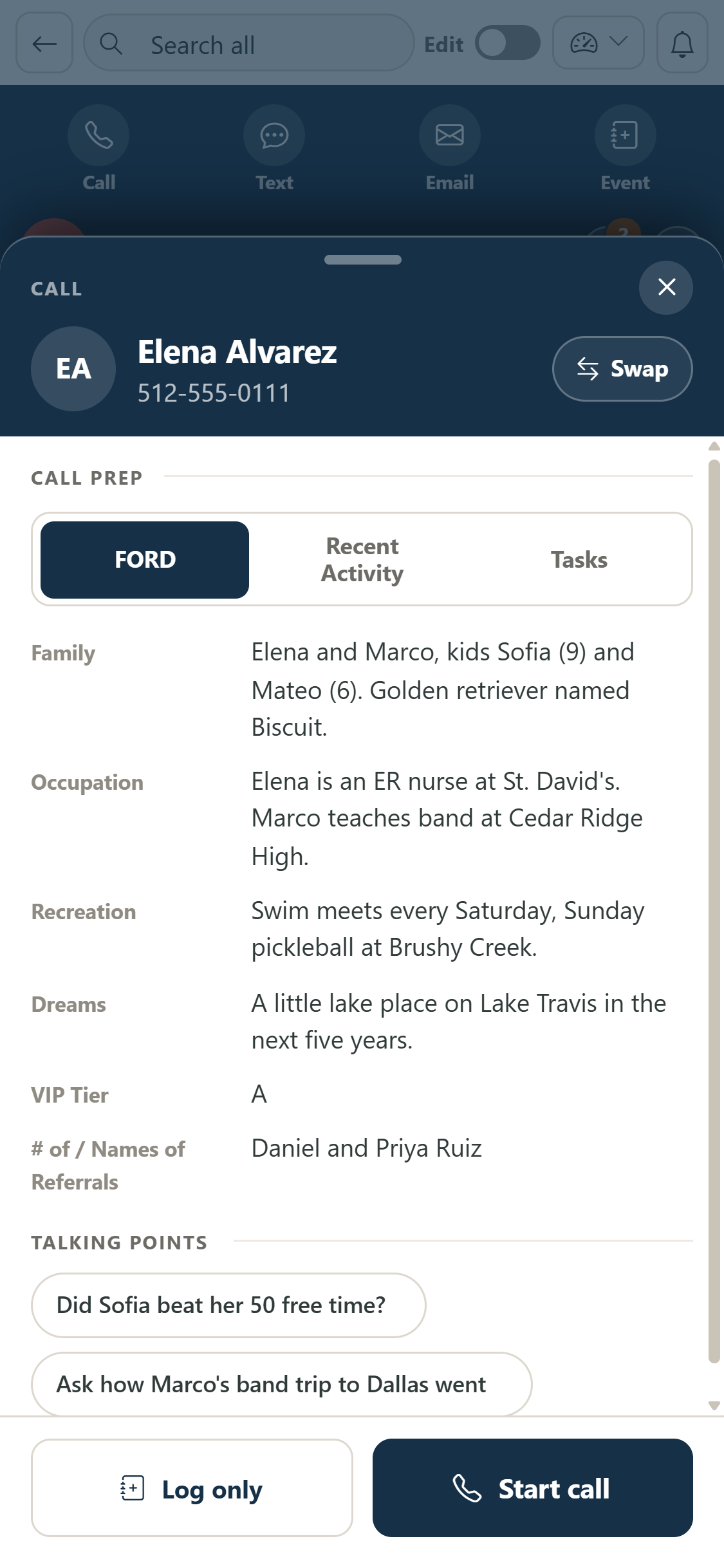
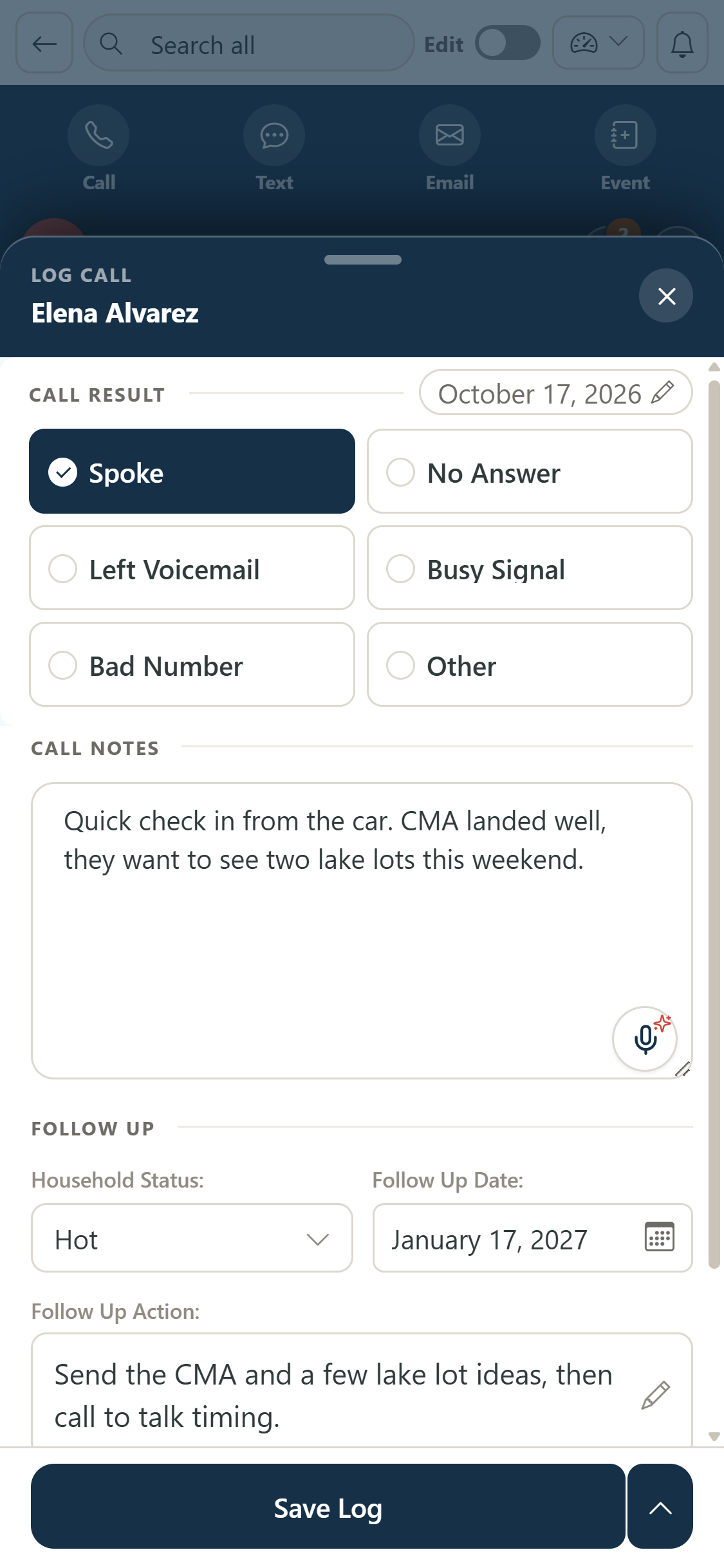
Calls work the same as on the desktop. Tap Call and the prep sheet slides up with FORD notes, talking points, recent activity and tasks. Start call hands off to your phone, and when you come back the debrief is there with big tap targets for how it went, your notes (the mic works too), the status and the next follow-up date.
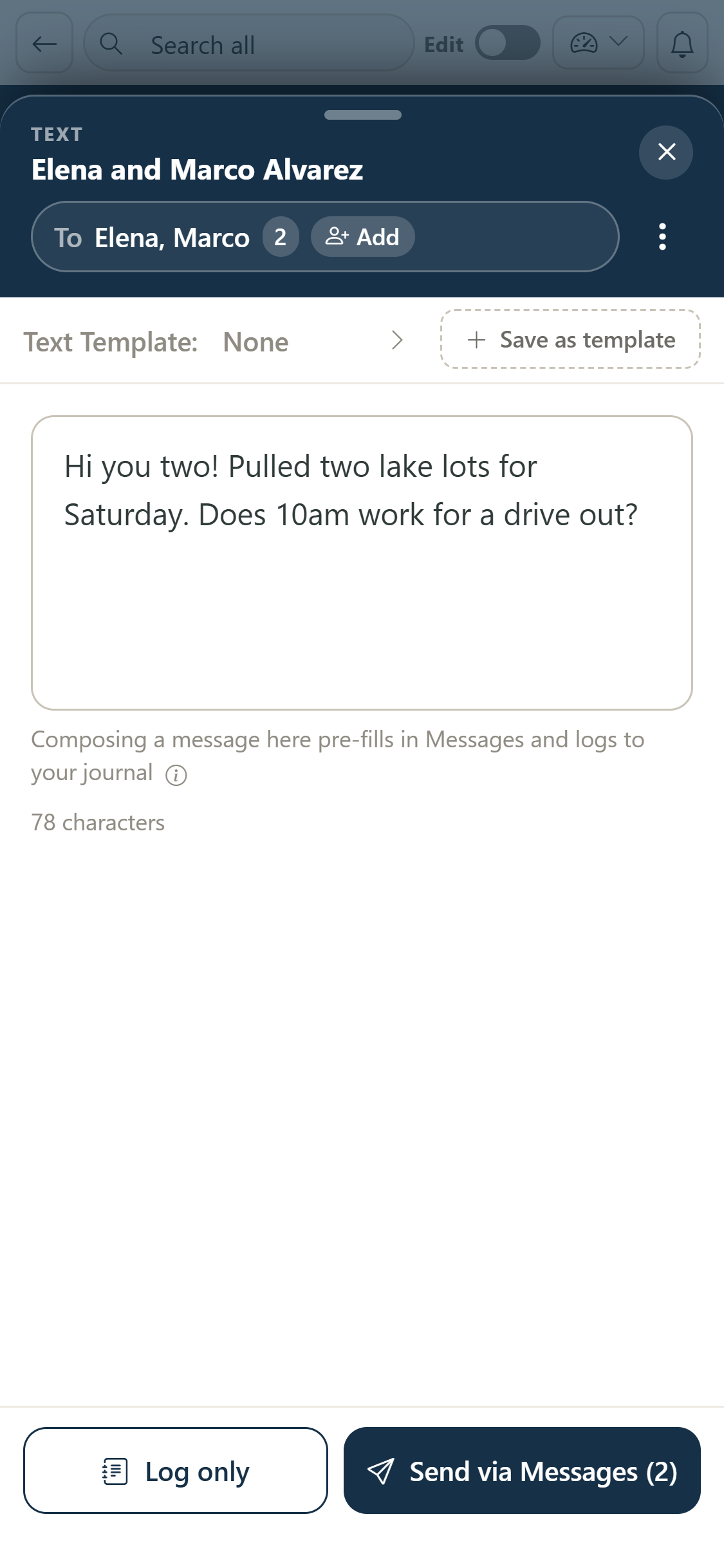
Texting is just as quick. Pick who is on it, one person or the whole household, choose a template or write your own, and Send via Messages opens your messaging app with it filled in, so it goes out from your own number. Either way it lands in the household journal.
The Android app is on Google Play now, and the iPhone app is coming soon to the App Store. Until then, ZachCRM runs in your phone's browser at app.zachcrm.com. Whatever you log on the phone is on your desktop the moment you sit down.